TechnoRUCS / Microsoft tips and tricks / Restrict Downloads & Export SharePoint Data to Power BI for Superior Insights.

Restrict Downloads & Export SharePoint Data to Power BI for Superior Insights.

Green rounded square badge with a lightning bolt, light bulbs, and a megaphone illustrating a Tips and Tricks icon

Tips & Tricks

Tip 1 : Restrict Downloads in SharePoint

What it will do

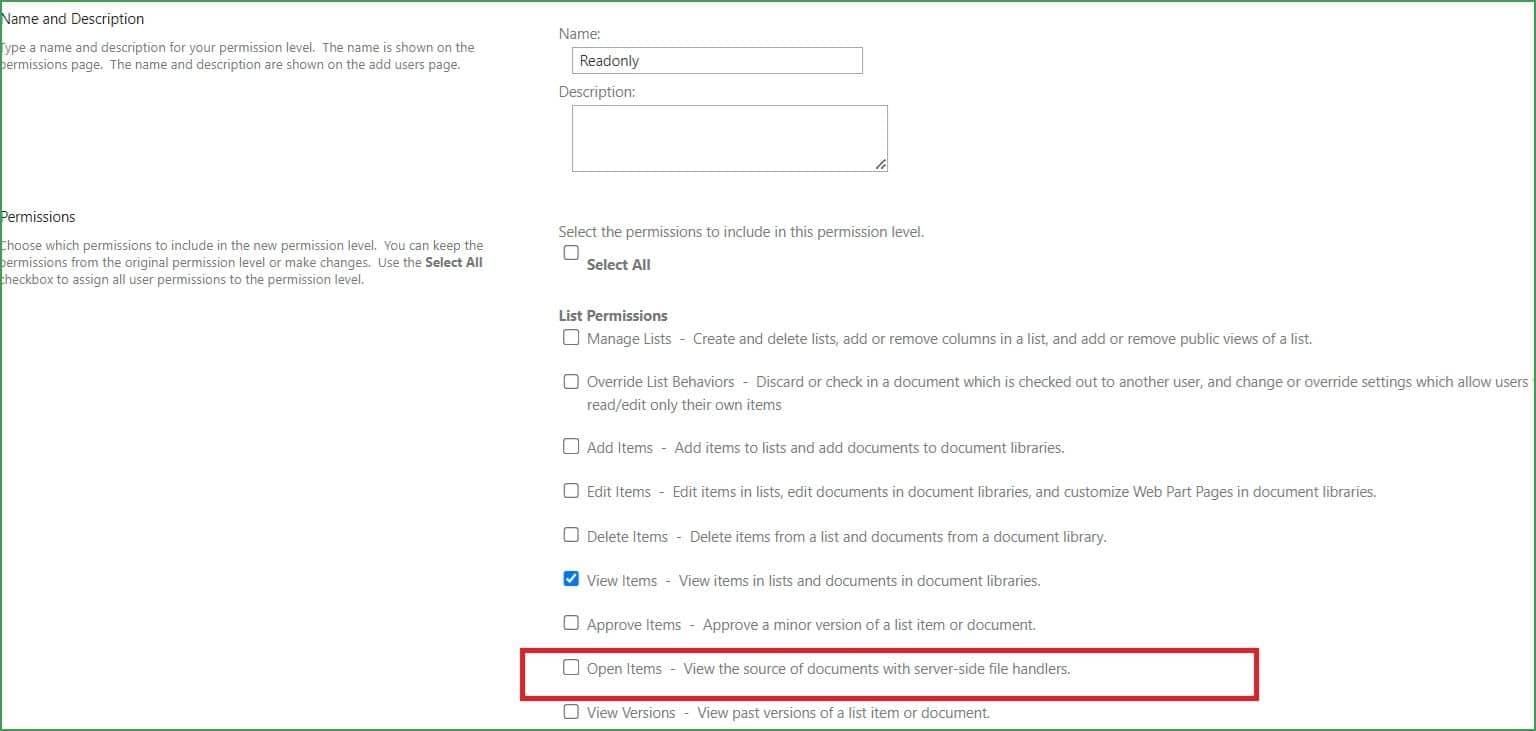
Image 1: This feature allows administrators to prevent users from downloading specific documents or folders. It provides an additional layer of security for sensitive or confidential files, ensuring that they can only be viewed and not downloaded.
1

What it is

Image 2: In SharePoint, there’s a new feature that allows you to restrict file downloads at the permission level, ensuring sensitive documents are protected from unauthorized access.

2

Benefits for your daily work

Green rectangular icon with a white database and refresh symbol

Enhanced Security

Keep confidential information safe by limiting access to viewing only. This is particularly useful for sharing sensitive files with external clients or contractors.
Green rectangular icon with a white crossed-out envelope symbol

Better Compliance

By restricting downloads, you can ensure compliance with data protection regulations and company policies.
Green rectangular icon with a white workflow automation symbol

Controlled Distribution

Avoid unauthorized redistribution of important documents, ensuring they remain within the intended audience.

Tip 2 :  Export to Power BI from SharePoint

What it will do

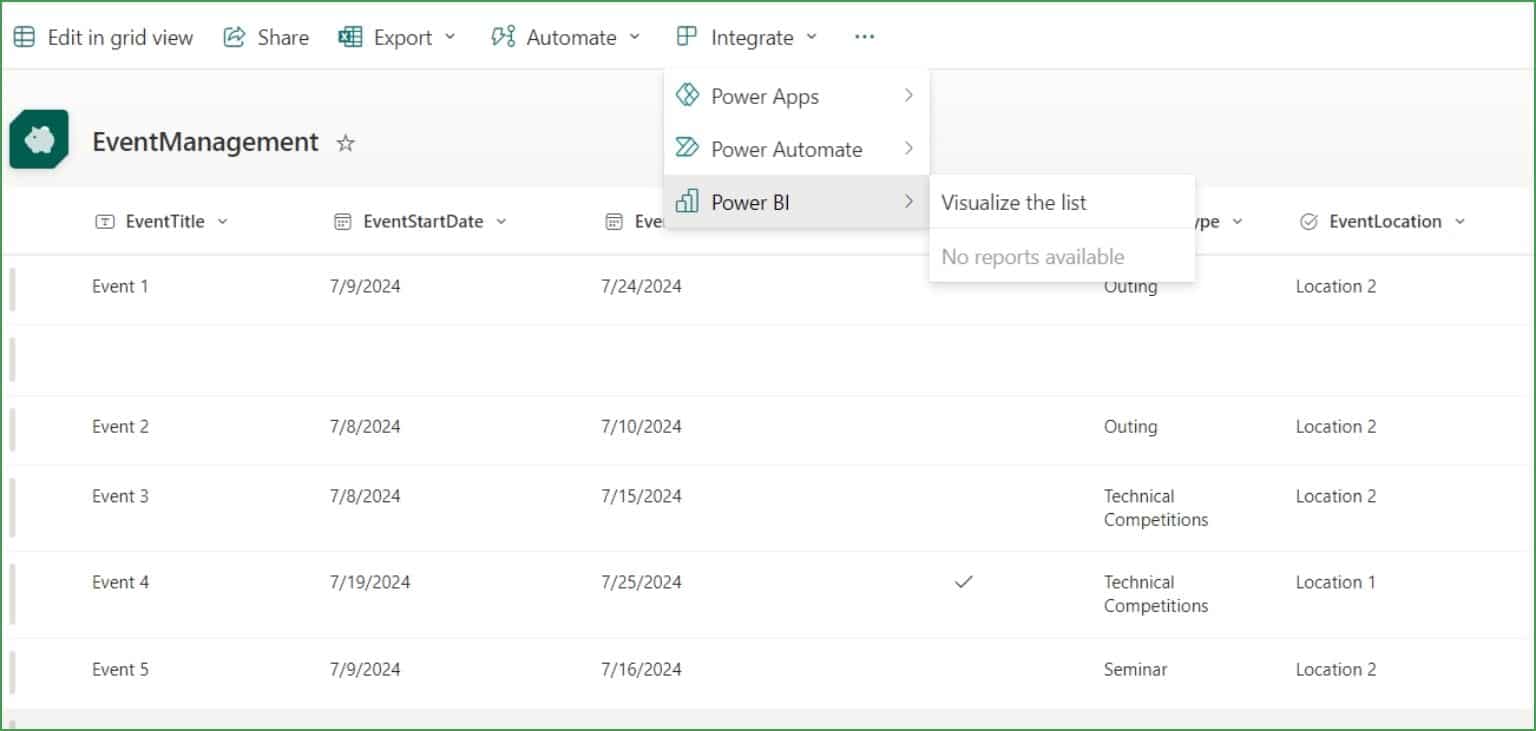
Image 1: By using this option, you can quickly export data from SharePoint lists to Power BI, where you can create custom dashboards and visualizations. This eliminates the need for complex data transfers and enables seamless integration between SharePoint and Power BI.

3

What it is

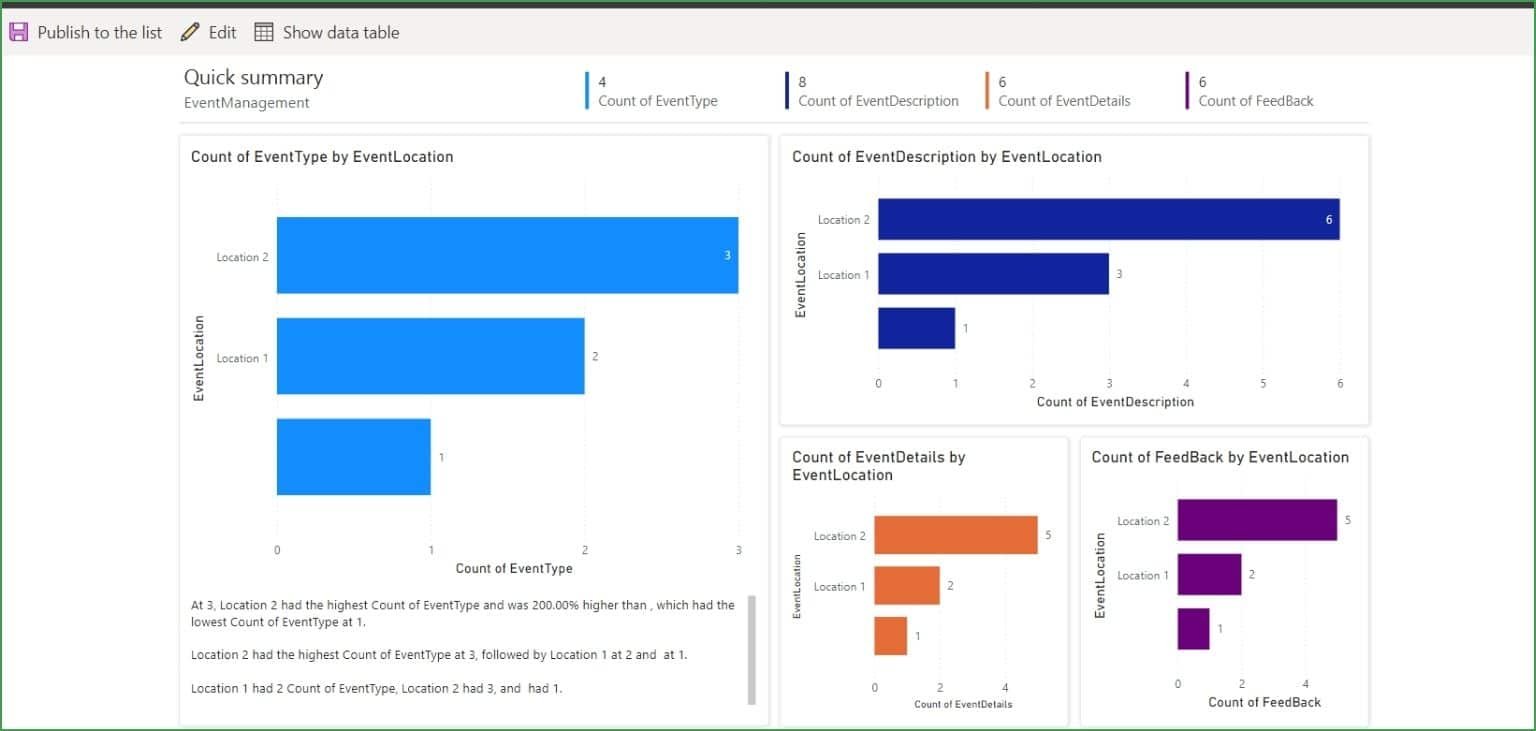
Image 2: This feature in SharePoint allows users to export data directly to Power BI for in-depth analysis and reporting, simplifying the process of generating real-time business insights.

4

Benefits for your daily work

Green rectangular icon with a white person and shield security symbol

Data-Driven Decisions

Easily create interactive dashboards that provide real-time insights into your business operations, helping you make more informed decisions.
Green rectangular icon with a white clipboard and checklist symbol

Streamlined Reporting

Eliminate manual data transfers and automate the flow of information from SharePoint to Power BI, saving time and reducing errors.
Green rectangular icon with a white person and gear settings symbol

Custom Analytics

With Power BI’s powerful analytics, you can create customized reports tailored to your business needs, helping you track performance and uncover trends.

Resources

66 microsoft 365 migration in the usa a complete guide

Microsoft O365 .20 Min read

Microsoft 365 Migration in the USA: A Complete Guide

With roughly 1 million active business tenants in the United...
56 salesforce implementation in australia 2026 guide

Salesforce .20 Min read

Salesforce Implementation in Australia: A Complete Guide for Businesses in 2026

Salesforce is widely used by Australian businesses to manage customer...
55 azure migration services step by step strategy and checklist

Azure .15 Min read

Azure Migration Services: Step-by-Step Strategy & Checklist

Moving to Microsoft Azure is one of the most consequential...
cs03 digital transformation in engineering and construction operations

Digital Transformation in Engineering and Construction Operations

Incorporated in 1997, GeoTek is a full-service consulting engineering firm specializing in geotechnical engineering, construction.....
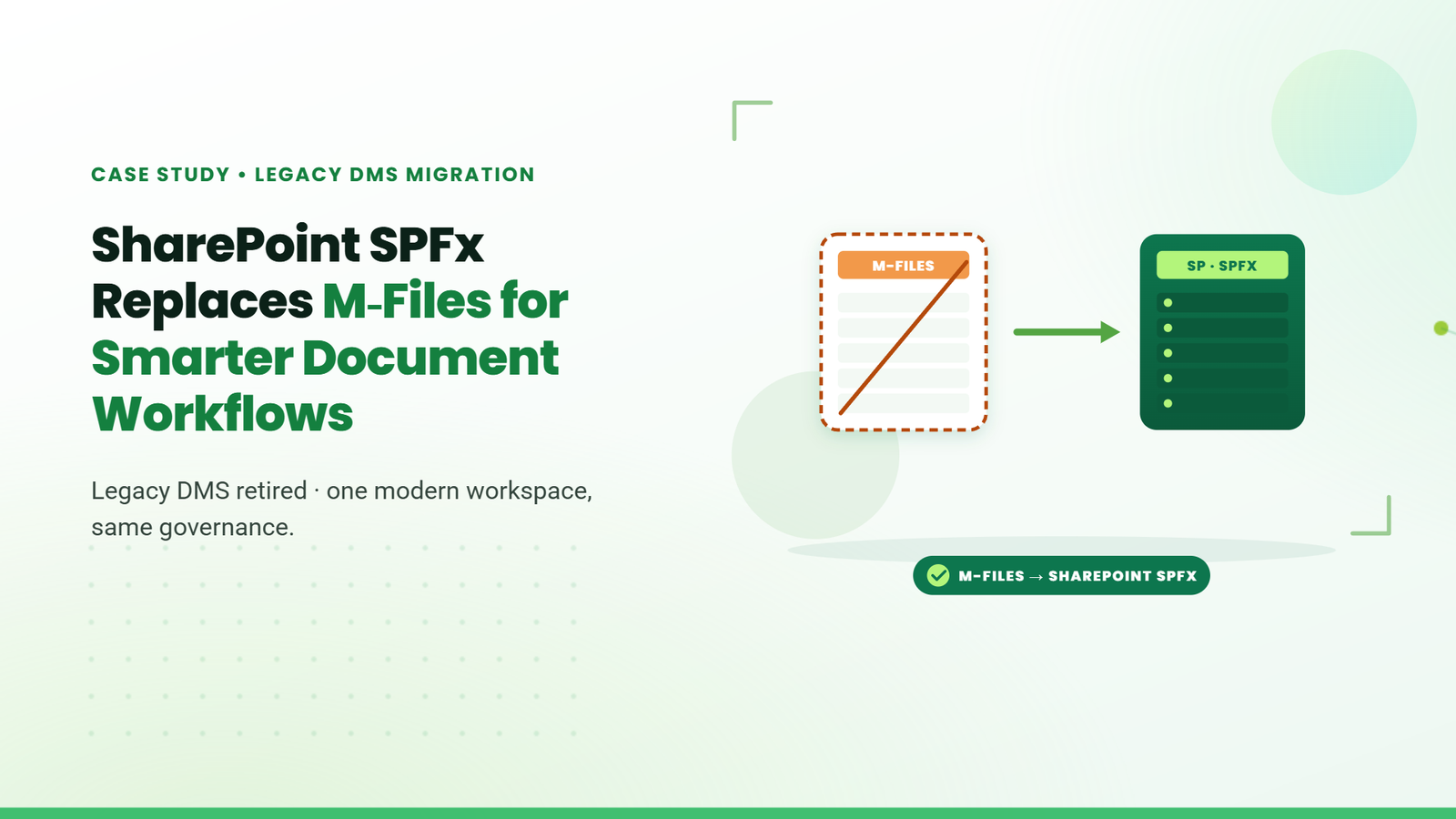
cs04 sharepoint spfx replaces m files for smarter document workflows

SharePoint SPFx Replaces M-Files for Smarter Document Workflows

TechnoRUCS, a dynamic force within Yas Holding’s ecosystem, is a technology-driven innovator powering digital transformation.....
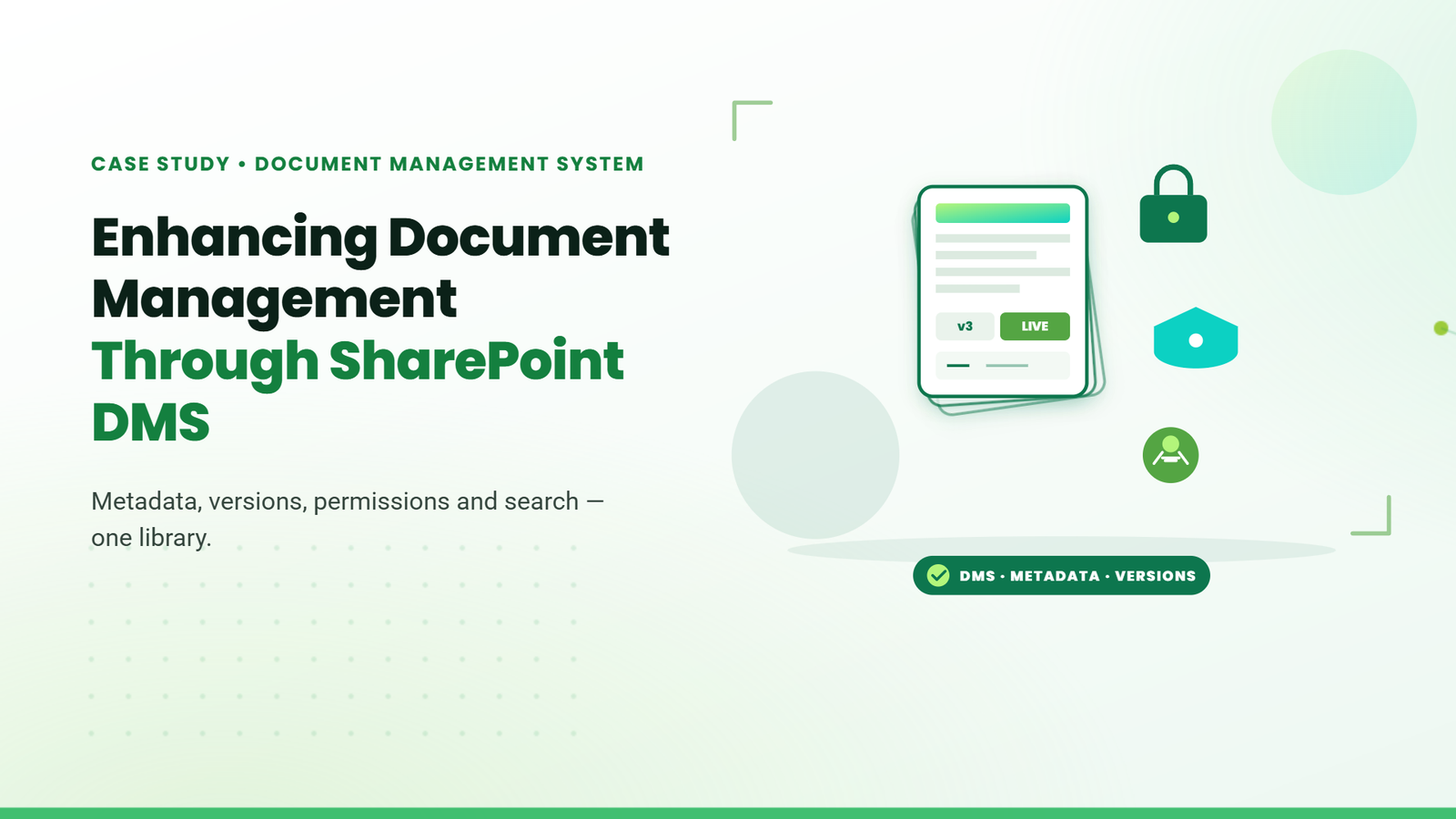
cs05 enhancing document management through sharepoint dms

Enhancing Document Management through SharePoint DMS.

A leading mining company in the Democratic Republic of Congo operates one of the largest.....

Stay Informed & Improve Usability: Smart Alerts &...

Welcome to the latest edition of the TechnoRUCS newsletter! In this issue, we’re sharing two quick …..

Restrict Downloads in SharePoint & Export Data to Power BI

Welcome to the latest edition of the TechnoRUCS newsletter! We continue to share powerful Microsoft tips and tricks…..

Restrict Downloads in SharePoint & Export Data to Power BI

Welcome to the latest edition of the TechnoRUCS newsletter! We continue to share powerful Microsoft tips and tricks…..
Decorative dashed curved line with a green paper plane icon

Conclusion

Watch out for our next edition, where we’ll share strategies for leveraging Microsoft tools to transform your business. Reach out for personalized assistance or learn how TechnoRUCS can support your business.
Ready to get started on your business transformation with Microsoft solutions? Contact TechnoRUCS to begin.

Mei, the TechnoRUCS AI assistant mascot, holding a phone on a call
Decorative green paper plane icon with a dashed trailing line